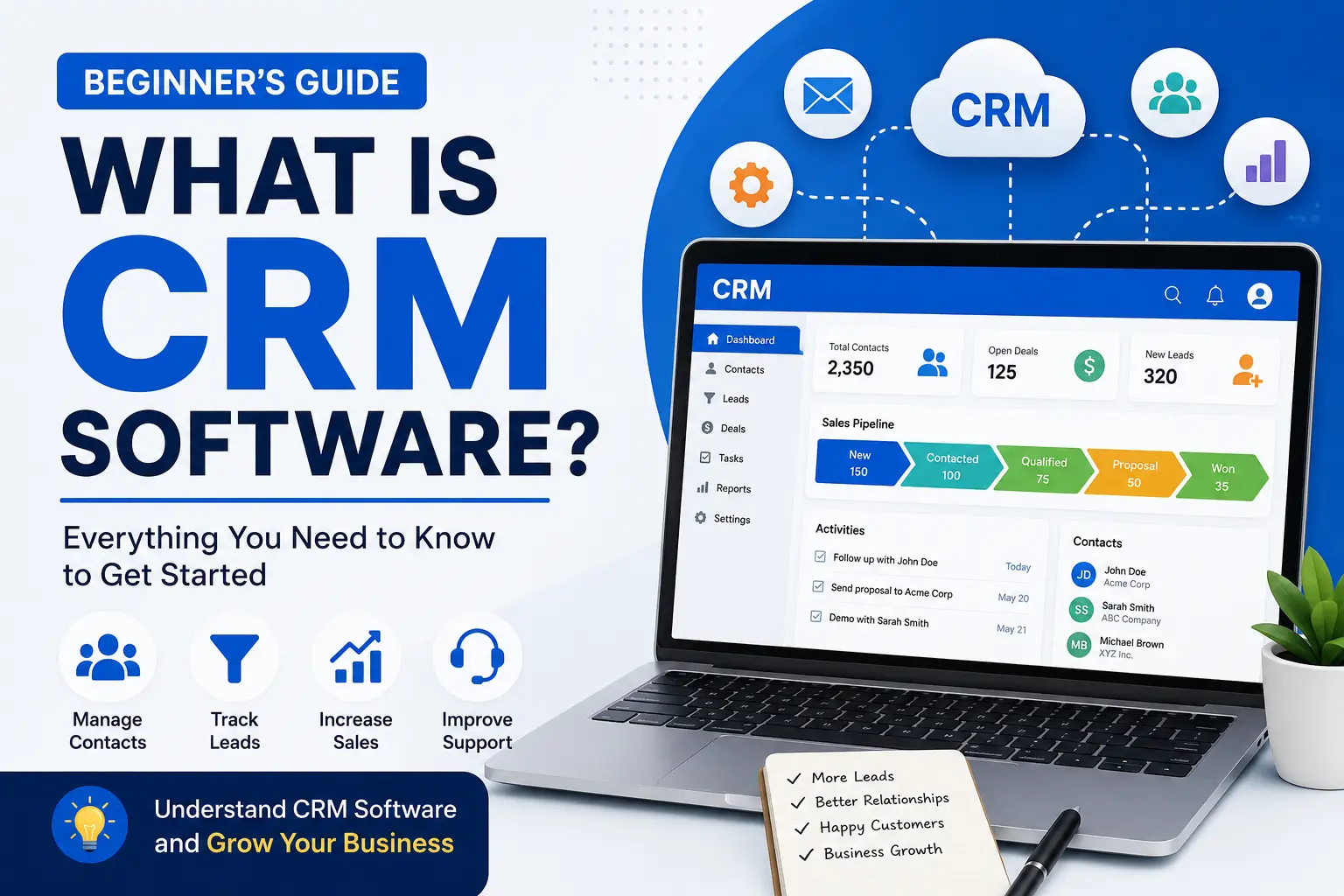
If you’ve ever searched for ways to organize customer information, track sales opportunities, or improve customer relationships, you’ve probably come across the term CRM software.
CRM stands for Customer Relationship Management. It is a type of software designed to help businesses manage interactions with customers, leads, and prospects in one centralized system.
Whether you’re a freelancer, startup founder, small business owner, or part of a large enterprise, CRM software can help you streamline communication, improve customer service, and increase sales efficiency.
In this beginner’s guide, you’ll learn what CRM software is, how it works, its key features, benefits, and how to choose the right CRM for your business.
What Does CRM Mean?
CRM stands for Customer Relationship Management.
At its core, CRM software helps businesses store customer information, track interactions, manage sales activities, and improve relationships with customers throughout the entire customer journey.
Instead of keeping customer information in spreadsheets, notebooks, emails, or multiple systems, a CRM stores everything in one place.
For example, if a customer fills out a contact form on your website, the CRM can automatically save their information, assign them to a sales representative, and track future conversations.
How Does CRM Software Work?
CRM software acts as a central database for customer information.
Whenever a customer interacts with your business, the CRM records that activity. This may include:
- Contact information
- Phone calls
- Emails
- Website inquiries
- Purchase history
- Support tickets
- Meeting notes
- Sales opportunities
As a result, everyone on your team can access the same customer information without searching through multiple tools or documents.
Example
Imagine a customer named Sarah submits a request for a product demo.
Without CRM:
- Information may be lost in emails.
- Different team members may contact her multiple times.
- Follow-ups may be forgotten.
With CRM:
- Sarah’s details are automatically saved.
- A sales representative is assigned.
- Follow-up reminders are created.
- All communication is tracked in one place.
This creates a smoother experience for both the business and the customer.
Key Features of CRM Software
Most modern CRM platforms include several important features.
1. Contact Management
CRM software stores customer and prospect information in a centralized database.
This includes:
- Names
- Email addresses
- Phone numbers
- Company details
- Communication history
2. Lead Management
A CRM helps businesses track potential customers from their first interaction until they become paying customers.
Teams can prioritize leads and focus on the most promising opportunities.
3. Sales Pipeline Management
Sales pipelines help businesses visualize where prospects are in the sales process.
Common stages include:
- New Lead
- Contacted
- Qualified
- Proposal Sent
- Negotiation
- Closed Won
- Closed Lost
4. Task and Activity Tracking
CRM software helps teams stay organized by tracking:
- Calls
- Meetings
- Follow-ups
- Deadlines
- Notes
5. Reporting and Analytics
Businesses can generate reports to measure:
- Sales performance
- Lead conversion rates
- Revenue growth
- Team productivity
- Customer retention
6. Automation
Many CRM platforms automate repetitive tasks such as:
- Email follow-ups
- Lead assignments
- Reminder notifications
- Workflow management
Automation saves time and reduces human error.
Types of CRM Software
Not all CRM systems are the same.
Operational CRM
Operational CRM focuses on automating daily business processes.
It helps manage:
- Sales
- Marketing
- Customer service
Analytical CRM
Analytical CRM focuses on data analysis.
Businesses use it to identify:
- Customer behavior patterns
- Sales trends
- Marketing performance
Collaborative CRM
Collaborative CRM improves communication between departments.
Sales, marketing, and support teams can share customer information more effectively.
Benefits of Using CRM Software
CRM software offers numerous advantages for businesses.
Improved Customer Relationships
Having complete customer information helps teams provide better service and personalized experiences.
Increased Sales
CRM systems help sales teams track opportunities and close more deals.
Better Team Collaboration
Everyone works from the same customer database, reducing confusion and duplication.
Improved Productivity
Automation eliminates repetitive tasks and allows employees to focus on more valuable work.
Better Decision Making
Reporting tools provide valuable insights that help businesses make data-driven decisions.
Who Should Use CRM Software?
CRM software is useful for almost every type of organization.
Small Businesses
Small businesses can use CRM software to organize customer data and improve follow-ups.
Startups
Startups can manage leads more efficiently while scaling operations.
Sales Teams
Sales representatives can track deals and manage customer relationships.
Marketing Teams
Marketing professionals can monitor campaigns and nurture leads.
Customer Support Teams
Support teams can access customer history and resolve issues faster.
Popular CRM Software Examples
There are many CRM platforms available today.
Some popular options include:
- HubSpot CRM
- Salesforce CRM
- Zoho CRM
- Pipedrive
- Freshsales
- Monday CRM
- Insightly
Each platform offers different features, pricing, and customization options.
How to Choose the Right CRM
When selecting a CRM, consider the following factors:
Ease of Use
Choose software that your team can learn quickly.
Features
Look for features that match your business needs.
Scalability
Your CRM should grow with your business.
Integrations
Ensure the CRM works with your existing tools such as email platforms, accounting software, and marketing applications.
Pricing
Compare plans carefully and consider long-term costs.
Common CRM Myths
CRM Is Only for Large Companies
False.
Many CRM platforms are specifically designed for startups and small businesses.
CRM Is Too Expensive
Many providers offer free plans and affordable entry-level pricing.
CRM Is Difficult to Use
Modern CRM systems are much more user-friendly than older platforms.
Final Thoughts
CRM software has become an essential business tool for managing customer relationships, improving sales processes, and increasing productivity.
Whether you’re a small business owner looking to organize customer information or a growing company seeking better sales management, a CRM can help centralize data, automate tasks, and improve collaboration across your team.
The best CRM is not necessarily the one with the most features—it’s the one that aligns with your business goals, budget, and workflow requirements.
As your business grows, the right CRM can become one of the most valuable tools in your technology stack.
Frequently Asked Questions
What is CRM software used for?
CRM software is used to manage customer information, track interactions, improve sales processes, and strengthen customer relationships.
Is CRM software only for sales teams?
No. CRM software can also be used by marketing, customer support, and management teams.
Can small businesses use CRM software?
Yes. Many CRM platforms are specifically designed for small businesses and startups.
What is the most popular CRM software?
Some of the most popular CRM platforms include HubSpot CRM, Salesforce CRM, Zoho CRM, Pipedrive, and Freshsales.
Is there free CRM software available?
Yes. Several CRM providers offer free plans with basic features suitable for small businesses.