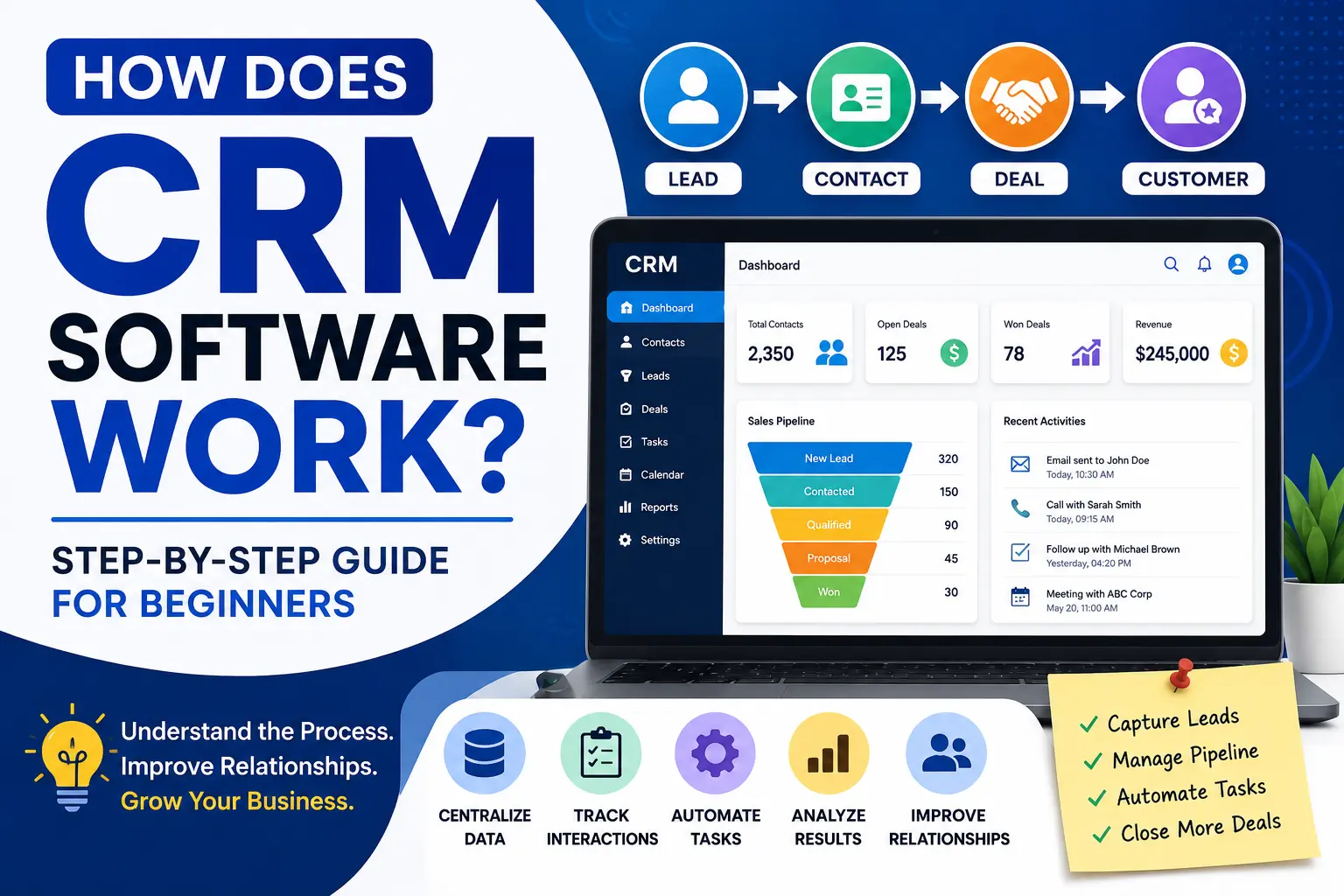
How Does CRM Software Work
If you’re considering using a CRM for your business, one of the first questions you might ask is: How does CRM software actually work?
CRM software may seem complicated at first, but its purpose is surprisingly simple. It helps businesses organize customer information, track interactions, manage sales opportunities, and improve communication—all from a single platform.
Instead of storing customer data across spreadsheets, emails, notebooks, and multiple applications, CRM software centralizes everything in one place.
In this guide, you’ll learn exactly how CRM software works, what happens behind the scenes, and how businesses use it to improve productivity and customer relationships.
A Quick Refresher: What Is CRM Software?
CRM stands for Customer Relationship Management.
CRM software is designed to help businesses:
- Store customer information
- Track interactions
- Manage leads
- Monitor sales activities
- Improve customer support
- Automate repetitive tasks
Think of a CRM as the central hub for all customer-related activities.
The Basic Workflow of CRM Software
Most CRM systems follow a simple process:
Step 1: Capture Customer Information
The first job of a CRM is collecting customer data.
Information can come from:
- Website contact forms
- Phone calls
- Email inquiries
- Social media messages
- Live chat systems
- Manual entry by employees
For example, when someone fills out a contact form on your website, their information can automatically be added to your CRM database.
The CRM may record:
- Name
- Email address
- Phone number
- Company name
- Location
- Inquiry details
This creates a new contact or lead inside the system.
Step 2: Store Information in a Central Database
Once information is collected, the CRM stores it in a centralized database.
This becomes a complete customer profile containing:
- Personal details
- Communication history
- Purchase history
- Meeting notes
- Support requests
- Sales activity
Instead of searching through multiple tools, employees can access everything from one location.
Step 3: Track Customer Interactions
Every interaction with a customer can be recorded.
CRM software tracks:
- Emails sent
- Phone calls made
- Meetings scheduled
- Support tickets
- Website activity
- Sales conversations
This helps teams understand the customer’s journey and avoid missing important details.
For example, if a customer contacts support after speaking with a salesperson, the support team can immediately see previous conversations.
Step 4: Manage Leads Through a Sales Pipeline
One of the most valuable CRM features is sales pipeline management.
A sales pipeline visually shows where prospects are in the buying process.
Typical stages include:
- New Lead
- Contacted
- Qualified
- Proposal Sent
- Negotiation
- Closed Won
- Closed Lost
As leads move through the pipeline, the CRM updates their status.
Managers can quickly see:
- Active opportunities
- Potential revenue
- Conversion rates
- Sales performance
Step 5: Assign Tasks and Follow-Ups
CRM software helps ensure that no opportunity gets forgotten.
Users can create:
- Follow-up reminders
- Meeting schedules
- Call tasks
- Email tasks
- Team assignments
For example:
A sales representative speaks with a prospect today.
The CRM automatically creates a reminder to follow up in three days.
This helps businesses stay organized and responsive.
Step 6: Automate Repetitive Processes
Modern CRM systems include automation tools.
Automation can handle tasks such as:
- Sending welcome emails
- Assigning leads to team members
- Updating deal stages
- Scheduling reminders
- Creating follow-up tasks
Automation saves time and reduces manual work.
Instead of performing repetitive actions every day, employees can focus on building relationships and closing deals.
Step 7: Generate Reports and Analytics
CRM software continuously collects data.
Businesses can use this information to generate reports such as:
- Lead conversion reports
- Sales performance reports
- Revenue forecasts
- Customer retention reports
- Marketing campaign results
These insights help business owners make informed decisions.
Real-Life Example of CRM Software in Action
Let’s look at a practical example.
Imagine a small digital marketing agency.
Day 1
A visitor fills out a contact form requesting SEO services.
The CRM automatically creates a new lead.
Day 2
A sales representative contacts the lead.
The CRM records the call and notes.
Day 5
The representative sends a proposal.
The CRM moves the lead into the “Proposal Sent” stage.
Day 10
The client accepts the proposal.
The CRM marks the opportunity as “Closed Won.”
Day 30
The CRM automatically reminds the account manager to check in with the client.
Throughout the process, every interaction is recorded and accessible.
Departments That Use CRM Software
CRM software is not only for sales teams.
Sales Teams
Sales representatives use CRM software to:
- Track leads
- Manage opportunities
- Close deals faster
Marketing Teams
Marketing professionals use CRM systems to:
- Track campaign performance
- Segment audiences
- Nurture leads
Customer Support Teams
Support staff use CRM software to:
- Access customer history
- Resolve issues faster
- Improve customer satisfaction
Management Teams
Business leaders use CRM reporting tools to:
- Monitor performance
- Track revenue
- Forecast growth
Cloud CRM vs On-Premise CRM
Cloud CRM
Cloud CRM software is hosted online.
Benefits include:
- Easy access from anywhere
- Lower upfront costs
- Automatic updates
- Faster implementation
On-Premise CRM
On-premise CRM software is installed on company servers.
Benefits include:
- Greater control
- Custom security options
- Internal data management
Today, most small and medium businesses prefer cloud-based CRM solutions.
Benefits of Understanding How CRM Works
When businesses understand CRM workflows, they can:
- Improve customer relationships
- Increase productivity
- Reduce manual work
- Improve team collaboration
- Close more sales
- Make better business decisions
A CRM is much more than a contact database—it becomes the operational center of customer management.
Common Misconceptions About CRM Software
CRM Is Just a Contact List
A CRM stores contacts, but it also manages sales, communication, reporting, automation, and customer support activities.
CRM Is Only for Large Businesses
Many CRM platforms are designed specifically for startups and small businesses.
CRM Is Difficult to Learn
Modern CRM software is increasingly user-friendly and designed for non-technical users.
Final Thoughts
CRM software works by collecting customer information, organizing it into a centralized database, tracking interactions, managing sales activities, automating workflows, and generating valuable business insights.
By bringing customer data into one system, businesses can improve efficiency, strengthen relationships, and create a better customer experience.
Whether you’re running a startup, small business, or growing company, understanding how CRM software works is the first step toward choosing and using the right CRM solution.
Frequently Asked Questions
How does CRM software collect customer data?
CRM systems collect data through website forms, emails, phone calls, social media interactions, integrations, and manual entry.
Does CRM software automate tasks?
Yes. Most modern CRM platforms automate repetitive tasks such as lead assignment, follow-ups, reminders, and email workflows.
Can small businesses benefit from CRM software?
Absolutely. CRM software helps small businesses organize customer information, improve follow-ups, and increase sales efficiency.
Is CRM software difficult to use?
Most modern CRM platforms are designed with user-friendly interfaces and require minimal technical knowledge.
What is the main purpose of CRM software?
The main purpose is to improve customer relationship management by centralizing customer data and streamlining business processes.