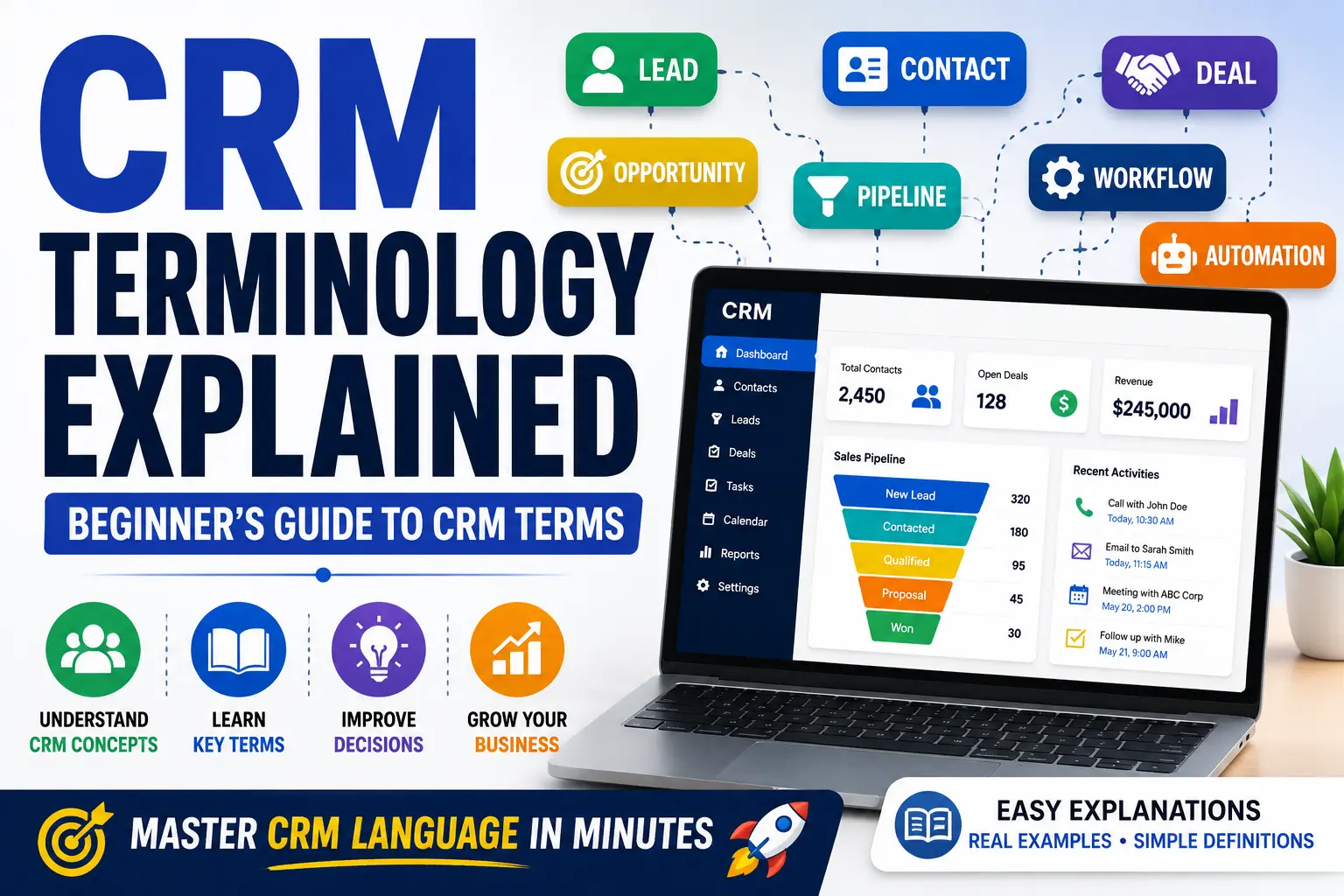
If you’re new to CRM software, you’ll quickly notice that many platforms use technical terms that can feel confusing at first.
Words like lead, pipeline, deal stage, automation, and customer lifecycle appear frequently in CRM systems, tutorials, and software reviews.
Understanding these terms is important because they help you use CRM software more effectively and make better business decisions.
In this guide, we’ll explain the most common CRM terminology in simple language, making it easier for beginners to understand how CRM systems work.
What Is CRM?
CRM stands for Customer Relationship Management.
It refers to both:
- The strategy businesses use to manage customer relationships.
- The software used to organize customer information, sales activities, and communications.
A CRM system helps businesses track interactions with customers and improve relationships over time.
Contact
A Contact is any individual person stored in your CRM database.
A contact may include:
- Name
- Email address
- Phone number
- Company information
- Communication history
Example:
John Smith from ABC Company becomes a contact after submitting a form on your website.
Lead
A Lead is a potential customer who has shown interest in your product or service but has not yet become a paying customer.
Examples of leads include:
- Website inquiries
- Free trial signups
- Newsletter subscribers
- Event attendees
Every customer usually starts as a lead.
Prospect
A Prospect is a lead that has been qualified and identified as a potential buyer.
Prospects are generally more valuable because they have a higher chance of making a purchase.
Example:
A visitor downloads your pricing guide.
After speaking with them and confirming their budget and needs, they become a prospect.
Opportunity
An Opportunity represents a potential sale that is actively being pursued.
Once a lead is qualified, many CRM systems convert it into an opportunity.
Opportunities often contain:
- Expected deal value
- Probability of closing
- Expected closing date
- Assigned sales representative
Sales Pipeline
A Sales Pipeline is a visual representation of the sales process.
It shows where each lead or opportunity currently stands.
A typical pipeline might include:
- New Lead
- Contacted
- Qualified
- Proposal Sent
- Negotiation
- Closed Won
- Closed Lost
The pipeline helps sales teams track progress and forecast revenue.
Deal
A Deal refers to a potential sale being tracked inside the CRM.
Each deal usually includes:
- Customer information
- Product or service details
- Deal value
- Sales stage
- Notes and activities
When a customer purchases, the deal becomes a “Closed Won” deal.
Deal Stage
A Deal Stage identifies where a deal currently sits in the sales process.
Examples include:
- Discovery
- Qualification
- Proposal
- Negotiation
- Closed Won
- Closed Lost
Deal stages help sales teams understand progress toward closing a sale.
Customer Lifecycle
The Customer Lifecycle describes the journey customers take from first contact to long-term loyalty.
Typical stages include:
- Awareness
- Interest
- Consideration
- Purchase
- Retention
- Advocacy
CRM software helps businesses manage every stage of this lifecycle.
Activity
An Activity refers to any action related to a customer or lead.
Activities may include:
- Calls
- Emails
- Meetings
- Notes
- Follow-ups
- Tasks
CRM systems record activities to create a complete customer history.
Task
A Task is a specific action assigned to a team member.
Examples:
- Call a prospect tomorrow.
- Send a proposal.
- Schedule a product demo.
- Follow up after a meeting.
Tasks help sales teams stay organized and avoid missing opportunities.
Follow-Up
A Follow-Up is communication sent after an initial interaction.
Examples include:
- Follow-up emails
- Follow-up phone calls
- Meeting reminders
Consistent follow-ups significantly improve conversion rates.
Account
Many CRM systems distinguish between Contacts and Accounts.
An Account usually represents an organization or company.
Example:
- Account: ABC Manufacturing
- Contact: John Smith
Multiple contacts may belong to the same account.
Customer Database
A Customer Database is the collection of all customer information stored inside the CRM.
This includes:
- Contacts
- Accounts
- Activities
- Purchase history
- Notes
- Support tickets
The database serves as the central source of customer information.
Lead Scoring
Lead Scoring is a method used to rank leads based on their likelihood of becoming customers.
Points may be assigned based on:
- Website visits
- Email engagement
- Form submissions
- Company size
- Budget information
Higher scores indicate stronger sales opportunities.
Automation
Automation allows CRM software to perform tasks automatically.
Examples include:
- Sending welcome emails
- Assigning leads
- Creating reminders
- Updating deal stages
- Triggering notifications
Automation saves time and reduces manual work.
Workflow
A Workflow is a sequence of automated actions triggered by specific events.
Example:
A lead submits a form.
The CRM automatically:
- Creates a contact.
- Assigns a salesperson.
- Sends a welcome email.
- Creates a follow-up task.
This sequence is called a workflow.
Dashboard
A Dashboard is the main overview screen inside a CRM.
Dashboards typically display:
- Revenue
- Leads
- Open opportunities
- Sales performance
- Team activities
Dashboards help managers quickly monitor business performance.
Reporting
CRM Reports provide insights into business activities and results.
Reports may include:
- Sales reports
- Lead conversion reports
- Activity reports
- Revenue reports
- Customer retention reports
Reports help businesses make data-driven decisions.
Integration
An Integration connects a CRM with another software tool.
Common integrations include:
- Email platforms
- Marketing software
- Accounting systems
- E-commerce platforms
- Customer support software
Integrations improve efficiency by reducing manual data entry.
Customer Retention
Customer Retention measures a business’s ability to keep existing customers.
CRM software helps improve retention through:
- Better communication
- Personalized interactions
- Follow-up automation
- Customer support tracking
Retaining customers is often more cost-effective than acquiring new ones.
Conversion Rate
The Conversion Rate measures how many leads become customers.
Example:
If 100 leads enter your sales pipeline and 10 become customers, your conversion rate is 10%.
CRM systems help track and improve conversion rates.
Common CRM Terms Cheat Sheet
| Term | Simple Meaning |
|---|---|
| CRM | Customer Relationship Management |
| Lead | Potential customer |
| Contact | Person stored in CRM |
| Prospect | Qualified lead |
| Opportunity | Potential sale |
| Deal | Sales opportunity |
| Pipeline | Sales process stages |
| Activity | Customer interaction |
| Task | Action to complete |
| Workflow | Automated process |
| Dashboard | Performance overview |
| Integration | Connection to another tool |
Final Thoughts
Learning CRM terminology is one of the first steps toward successfully using CRM software.
While the terms may seem overwhelming initially, most concepts are straightforward once you understand how they fit into the customer journey.
Whether you’re evaluating CRM software, reading reviews, or setting up your first CRM system, knowing these terms will help you navigate platforms more confidently and make better business decisions.
As you continue learning about CRM software, these terms will become part of your everyday business vocabulary.
Frequently Asked Questions
What does CRM stand for?
CRM stands for Customer Relationship Management.
What is a lead in CRM?
A lead is a potential customer who has shown interest in a business but has not yet made a purchase.
What is a CRM pipeline?
A CRM pipeline is a visual representation of the stages a lead goes through before becoming a customer.
What is automation in CRM?
Automation allows CRM software to perform repetitive tasks automatically, such as sending emails and assigning leads.
Why is CRM terminology important?
Understanding CRM terminology helps users navigate CRM platforms, understand reports, and manage customer relationships more effectively.